
Search strategies
A good answer starts with the right piece of knowledge. A search strategy decides how your agent finds it: what happens to the question before searching, how the search runs, and what happens to the results afterwards. The default strategy works well right away; this module is for the moment you want to tune the search to your content and your visitors.
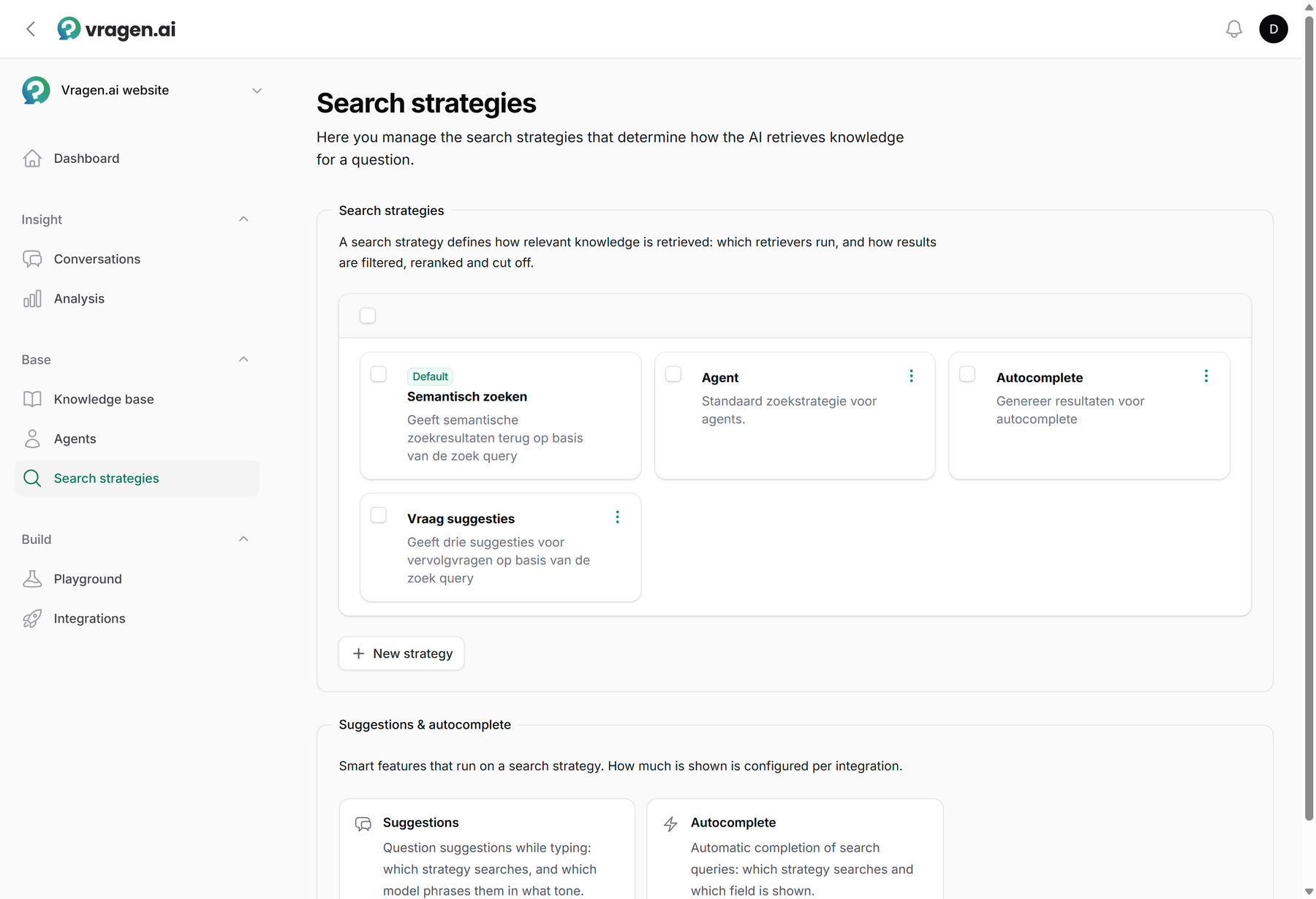
Three steps, one recipe
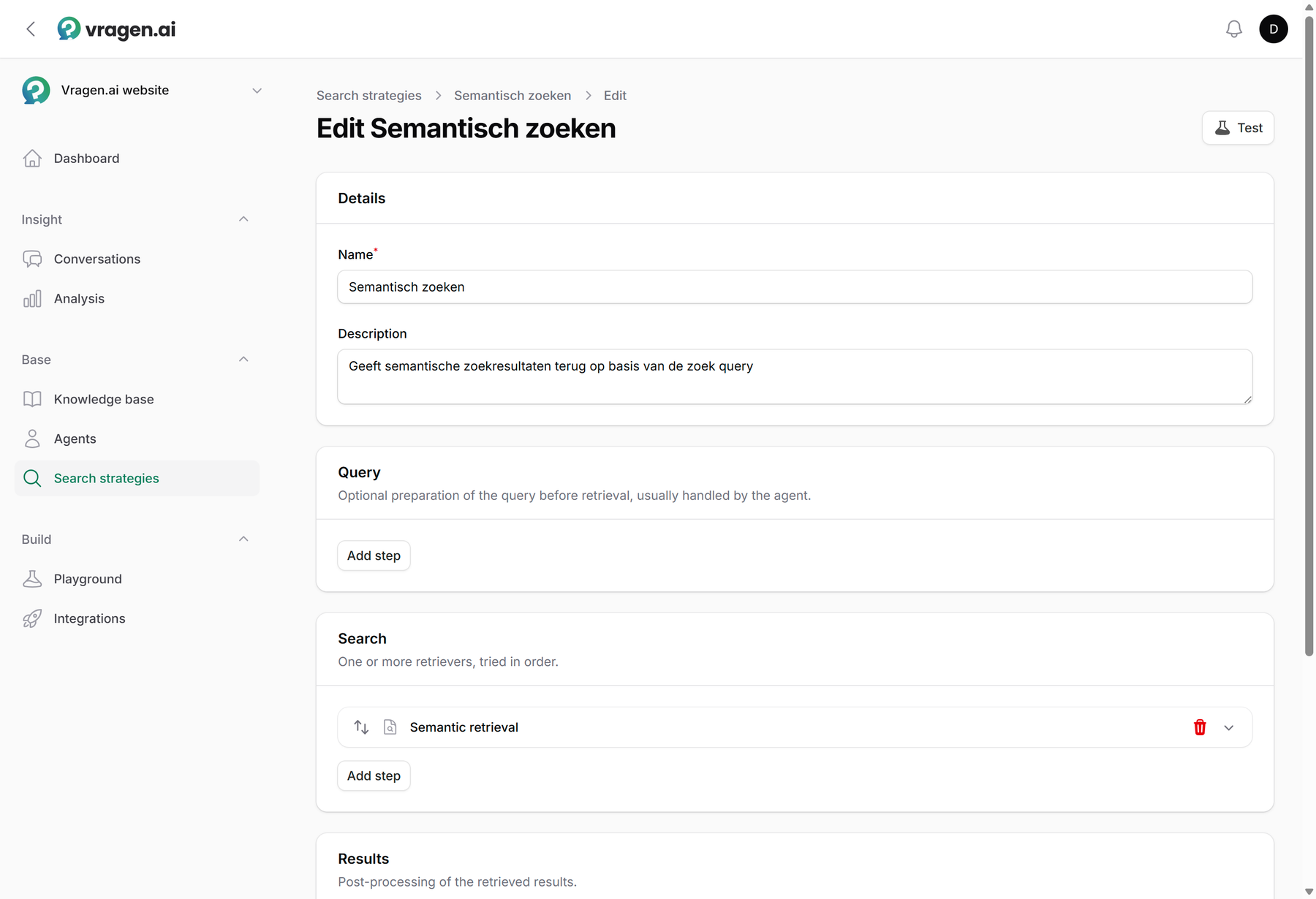
A strategy is built from three steps, assembled as blocks:
-
Query: what happens to the question itself. You can have the question rewritten (casual language becomes a sharp query), split into sub-questions, filtered on a metadata field, or limited to a knowledge area, for example only the content for residents.
For a filter, you either pick a fixed value yourself or switch on Let the model determine the value. The model then reads the question and picks the value and the operator for each question. Under How to determine it, you describe when the field applies and which values are valid, in English. That way a visitor who asks about "the rules for 2025" only gets the documents from that year, without you building a separate strategy for every year.
-
Search: the retrieval itself. Semantic search finds by meaning, keyword search (BM25) by exact words, and the balance setting combines both. Useful for content full of jargon: then you want "WOZ assessment" to count literally.
-
Results: the post-processing. Rerank the retrieved pieces, cut off automatically where relevance drops, or give certain knowledge areas and metadata a push upwards.
The advanced blocks (rewriting, splitting and reranking) belong to Advanced search and are available from the Professional plan onward; the builder still shows them on a smaller plan, but you cannot enable them.
The builder shows those three steps below each other, and per step you add blocks in the order they run.
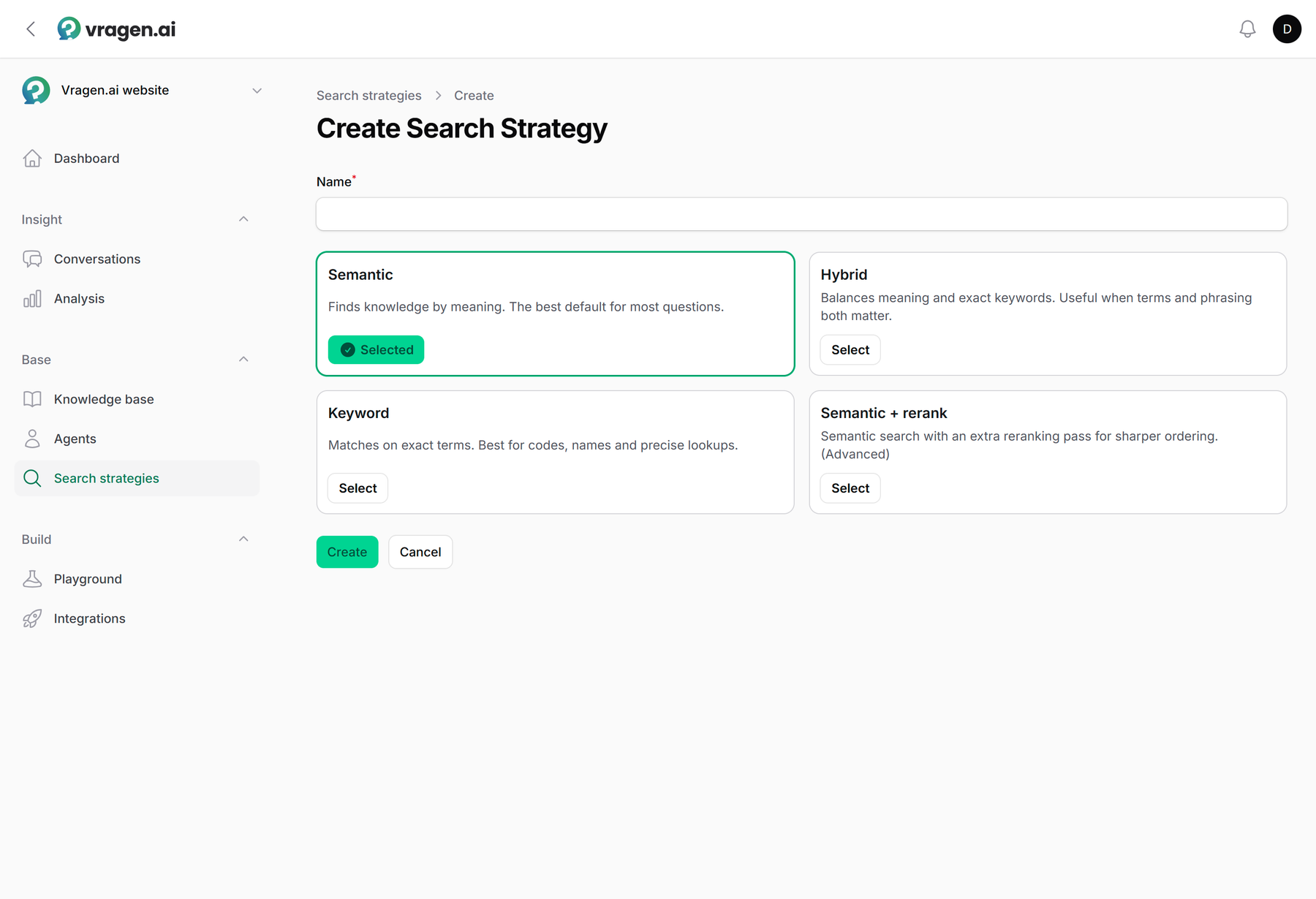
You do not have to invent this from scratch. When creating a strategy you pick a starting point (Semantic, Hybrid, Keyword or Semantic with reranking; that last one requires the Professional plan) and then only adjust what your situation asks for.
Try first, then save
With the Test button you run a strategy live against your own knowledge base, before saving it. You type a real visitor question and immediately see which sources are found and how relevant they score. So a change never just goes live: you have seen for yourself what it does.
One engine, several places
An environment can have multiple strategies, with one as the default. Every place where search happens can pick its own strategy: an agent for its answers, an integration for the search results on your site, and the question suggestions and autocomplete each have their own strategy too, entirely without a language model. The same engine sits behind the chat and behind AI site search as a standalone search experience.
A developer who connects to vragen.ai through the API can use a strategy too: to search and to fetch similar content, such as a "Read next" block below an article. With similar content there is no question, only a document. Steps and settings that work with the text of a question, such as rewriting, are then skipped by the strategy; in the builder they are marked Ignored for similar. When you adjust the strategy, the search on your site changes along with it, without anyone touching the integration.
Who can do what
Viewing and editing search strategies starts at the Editor role; an Annotator does not see this module. The default strategy cannot be deleted, so there is always a working base. More about the roles: Managing users and roles.