
Your knowledge base in the app
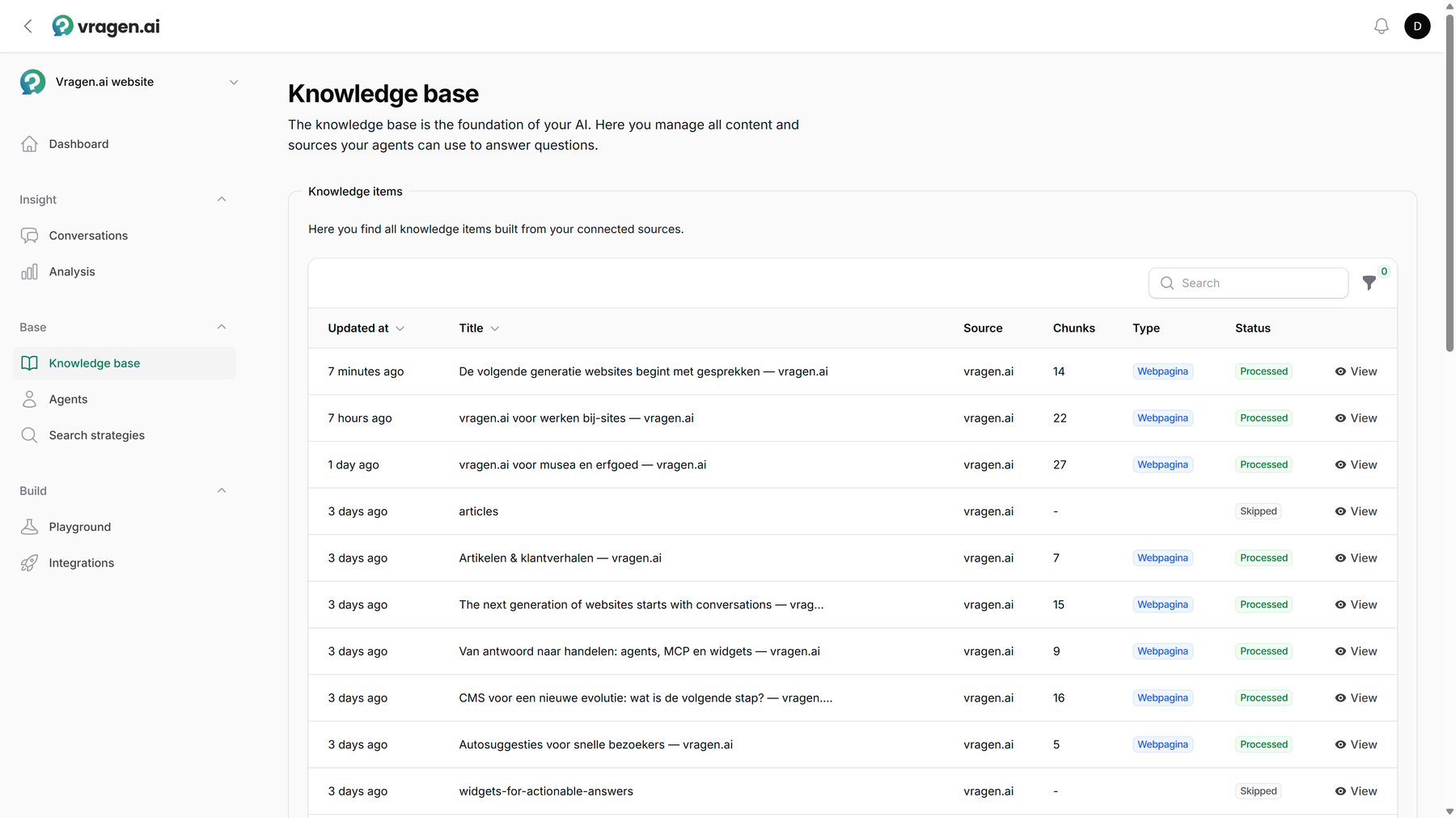
The knowledge base is the foundation of every answer: this is everything your agent knows. The Knowledge base module shows that knowledge as a list of knowledge items, with the source, the number of text blocks and the status per item; you filter the list by type, segment, health or origin. If a metadata field has a manageable number of values (at most 250 distinct ones), you can filter on that too, for example all documents from one department. So you see not only what your agent knows, but also whether that knowledge is in good shape.
Sources and documents
A source is a place knowledge comes from: a website the crawler reads, an API connection through which your own system delivers documents, or an RSS feed. Every source produces documents: one per page or item, split into text blocks the agent cites from.
Every document carries its status. Processed means ready for use; Skipped means the crawler deliberately left the page alone, for example because of a robots rule, a 404 or an unsupported document type. The status always tells you why, so you can fix things precisely. How the crawler reads and chooses is covered in The crawler and your content.
If a source is still reading, you see that too. It shows how many documents have been processed and how many are still queued, and that number climbs while you watch. No need to refresh.
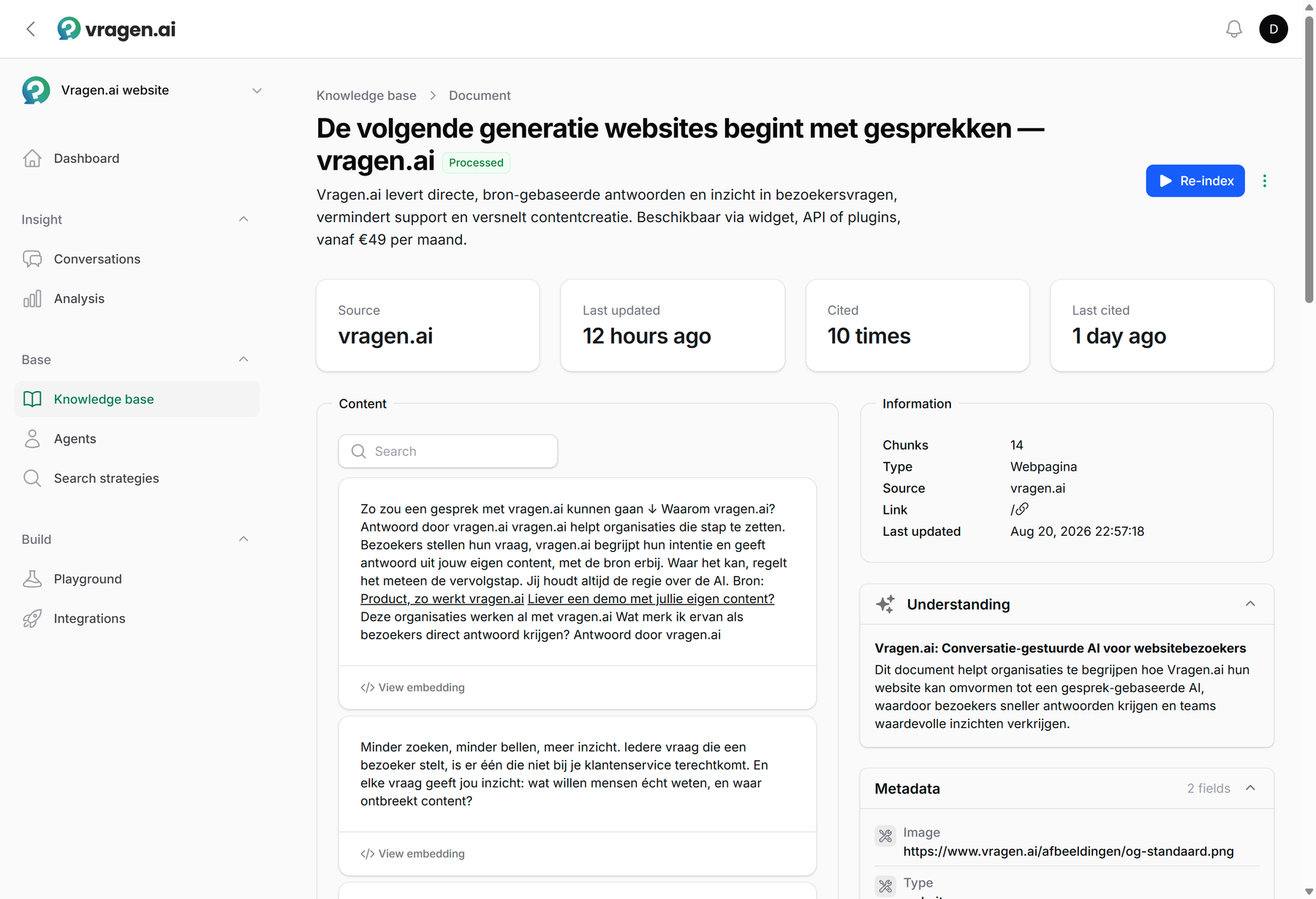
Click a document open and you see everything up close: the text blocks it was split into, the metadata, the crawl information, and how often the document was cited in answers and when it was cited last. So you know not just that a page is in the knowledge base, but whether it is actually being used.
Under Processing you see the steps a document goes through before the agent can cite from it, with the status of each step. If a step fails, vragen.ai retries it automatically; you then see which attempt it is on and when the next one comes. If a document seems stuck, this tells you whether to wait or whether something is wrong.
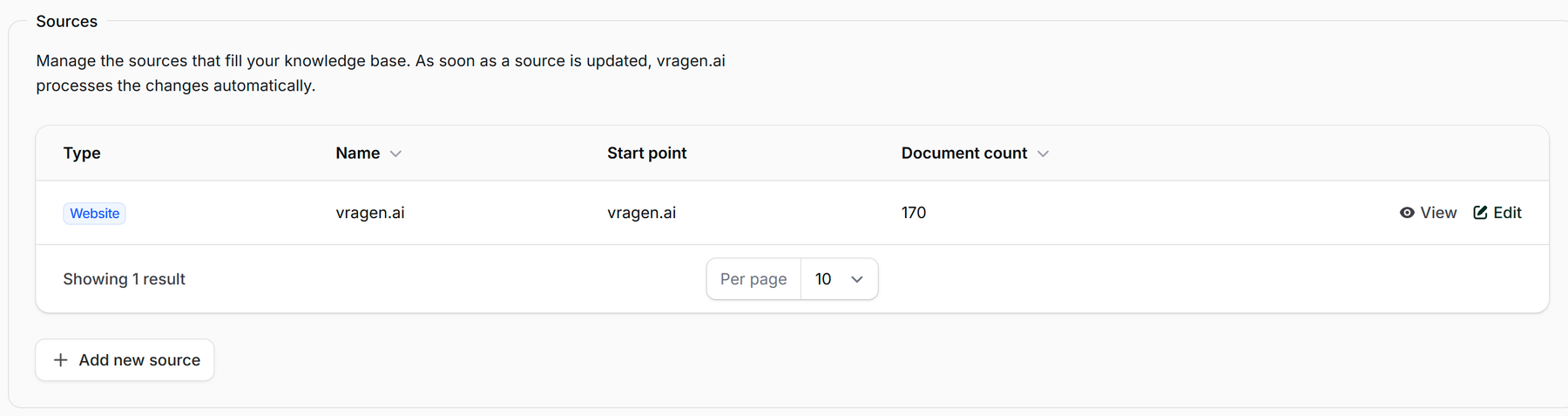
At the bottom of the page you manage the sources themselves: per source you see the type, the starting point and the number of documents, and Add new source connects another one. As soon as a source is updated, vragen.ai processes the changes automatically.
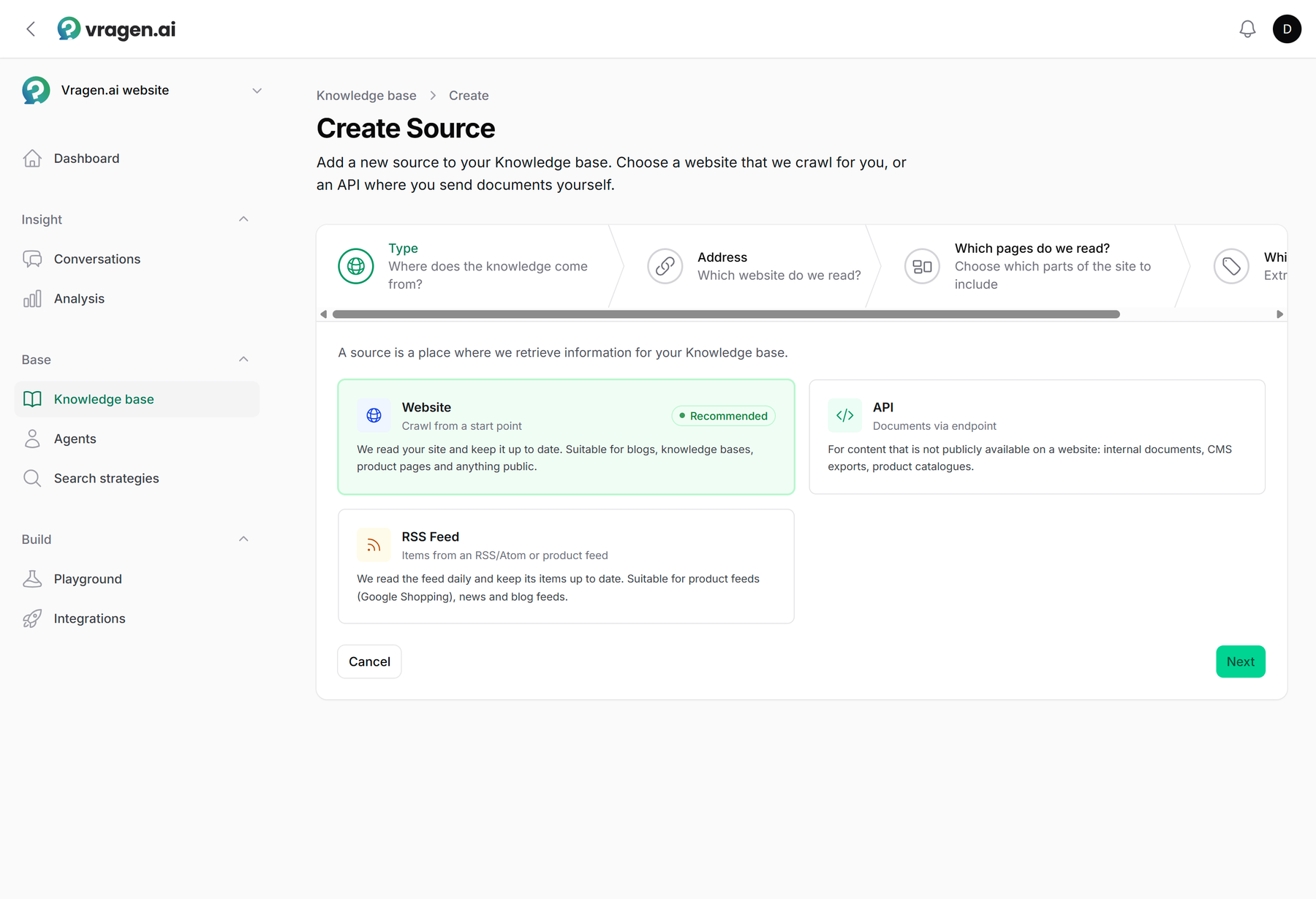
That button opens a short wizard: you pick the type (a website we crawl, an API you send documents to yourself, or an RSS feed), enter the starting point, decide which parts of the site take part and set right away which metadata is collected.
With an API source you decide which documents are allowed in. Under Allowed URLs you enter one or more URL patterns; a document whose URL matches none of them is rejected. That way a test environment can never write into your real knowledge base by accident. The source page also shows the Source ID you use in the API to fetch exactly this source's documents; see Connecting via the API.
Metadata and smart collections
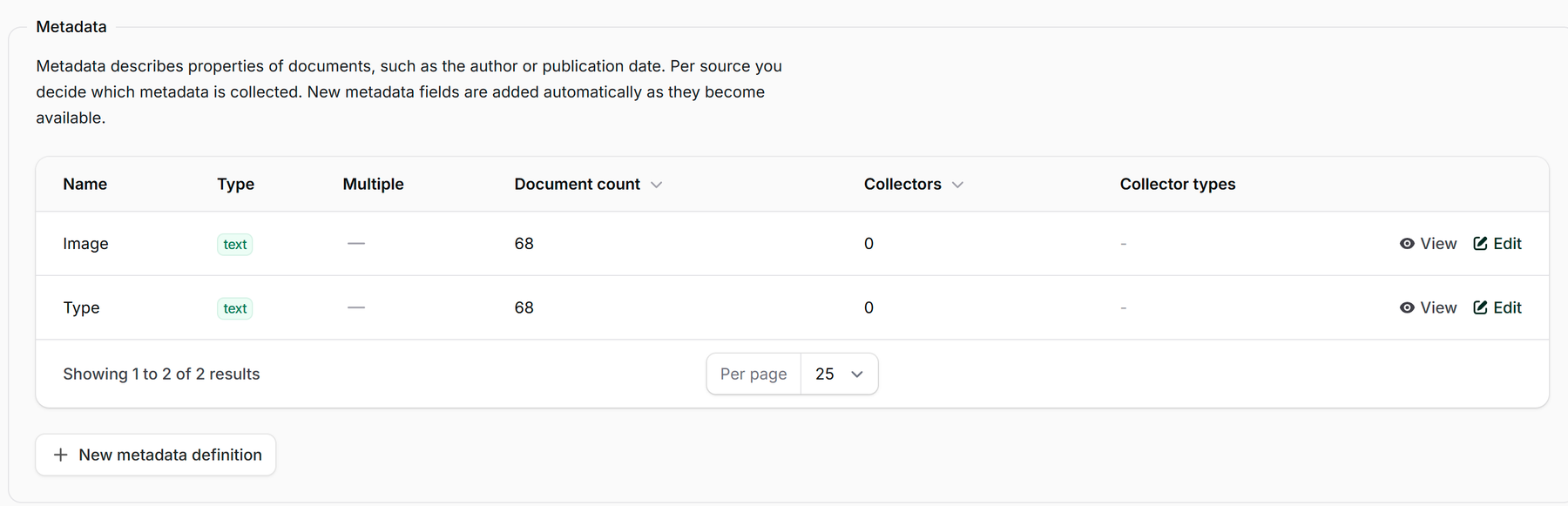
Per source you decide which metadata is collected, such as an author or publication date; new fields appear automatically as they show up in your content. Those fields are not bookkeeping for its own sake: a search strategy can filter and weigh on them, so that recent documents, for example, get priority in the answers. If your own system sends metadata along with a document through the API, it shows up here too, marked With document; nothing to configure.
If the metadata of a single document is wrong, you fix it yourself with Edit metadata on that document's detail page. Fields that are collected automatically are shown but cannot be changed there: the next processing run would overwrite your edit anyway. Such a field shows how it is maintained.
Smart collections gather documents automatically based on a description. vragen.ai sets them up for you; ask about it if you want to manage a group of documents as a whole. After that you filter on them easily in the knowledge base and a search strategy can search them specifically. A collection can also get labels: a yes/no metadata field that automatically stays in sync with which documents are in the collection. That way a search strategy can filter on that group, even as the collection grows later.
Watching the health
Per source you see how the content is doing: healthy, skipped, thin content (pages with too little text to build a good answer from) or empty and failed. Documents that really need attention are marked separately. That includes an Exceptionally large document, with more than 200,000 words. Such a document makes indexing slow and expensive and rarely helps answers; often it is a combined or duplicate version of other pages. You then disable it, or narrow down at the source what is read from the page. The same health shows up compactly on the dashboard; this is where the tools live to do something about it.
Segments: different reading instructions per part of your site
Large sites are rarely built the same way throughout. With segments you give parts of a source their own reading instructions, based on URL patterns: the news archive differently from the product pages. With Test on page you try those settings on a single URL first; you see exactly what the crawler extracts, without anything changing in your knowledge base.
Some sites put their content in a <noscript> block: the version for visitors without JavaScript. If the text your visitors are looking for only appears there, switch on Read <noscript> content for that segment. The option is off by default, because on most sites such a block only holds tracking pixels.
Adjusting course
Three buttons do most of the work. A document that does not belong in answers (an outdated page, an internal notice) you disable; it no longer counts, without you having to take the page off your site. Just rewrote a page? Have that one document reindexed and the change is known immediately. And with a new source, Crawl now fetches the first pages right away so you see results immediately; the full crawl then runs automatically every day (with an API connection you deliver documents yourself, so there is no crawl button). On top of that, vragen.ai periodically checks whether existing pages still exist.
Want one source clean? Pick Delete all documents on that source: its documents disappear from the knowledge base in the background, indexed content included, and other sources are left untouched. If you delete a source altogether, vragen.ai asks whether its documents should go too. Leave them and they keep showing up in answers, with no source left to manage them from.
Starting over completely is possible too. Clear knowledge base removes every knowledge item with its text blocks, metadata and knowledge areas; your sources stay, so the next indexing run refills the knowledge base. Useful after a big rebuild of your site, but it cannot be undone. That is why the button sits behind a confirmation and is available to the Owner role only.
Who can do what
Everyone from the Annotator role up can view the knowledge items. Adding or deleting sources, disabling, deleting and reindexing documents, and editing a document's metadata starts at the Editor role. More in Managing users and roles.
What you see in the knowledge base is ultimately steered by your content itself. Practical guidelines live in Managing knowledge base content and Best practices.